SuperTube
EN
Download

Free and open source · Android 8.0+

YouTube without the ads. On your phone and on your TV.

SuperTube plays videos with no ads, skips the sponsor segments for you and gives you an interface made for your fingers on the phone and for the remote on the TV.

  • No ads
  • SponsorBlock
  • No account needed
  • MIT license

Blender open movies

Use the arrow keys and Enter, or tap a card

One app for each screen

Same engine, two interfaces: each one designed for how you hold it.

Phone and tablet

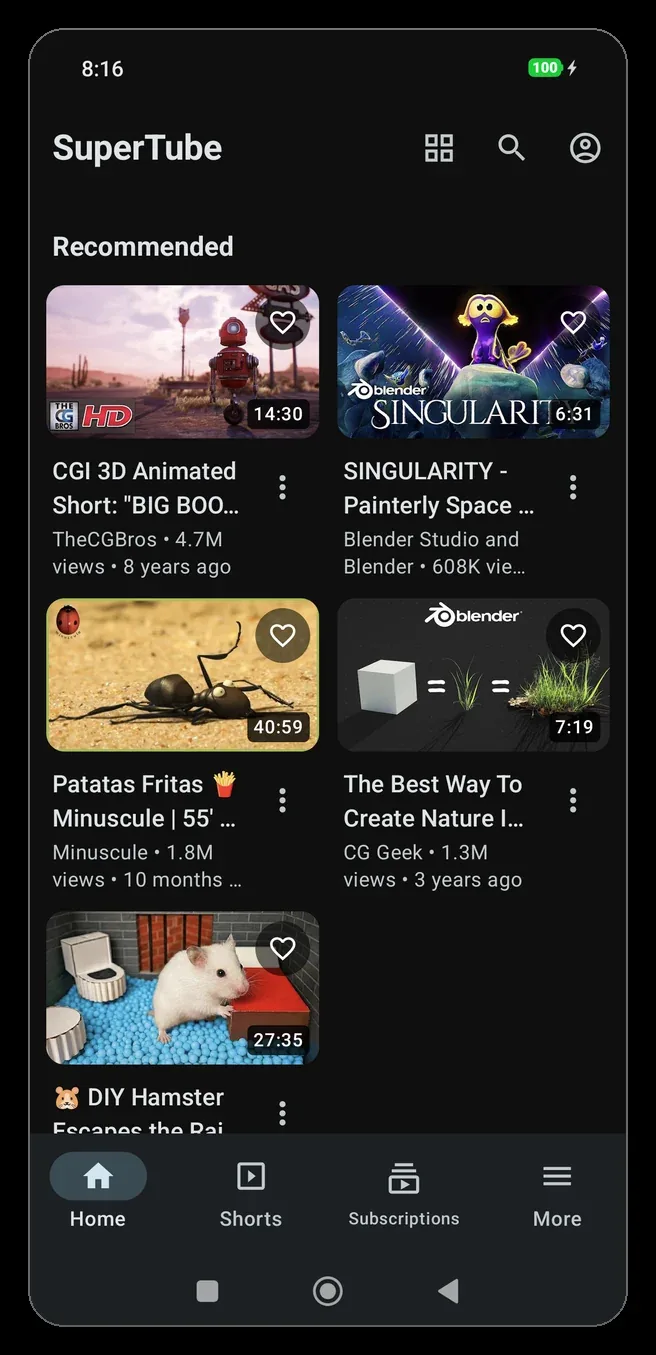
Material 3 with light and dark themes. A bottom bar on phones and a navigation rail on tablets and foldables.

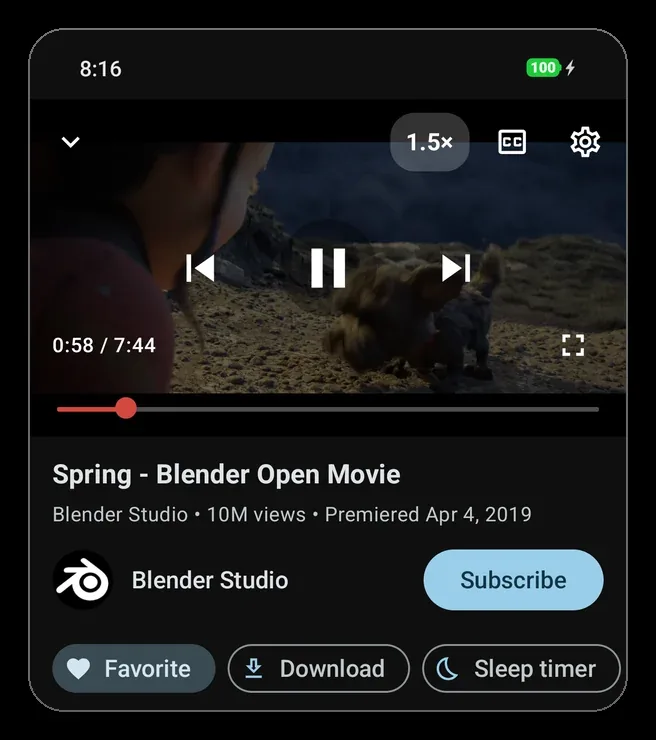
  • Double tap to jump 10 s, hold for 2×
  • Swipe up for fullscreen, down for the mini player
  • Brightness and volume with a swipe in fullscreen

Android TV and Google TV

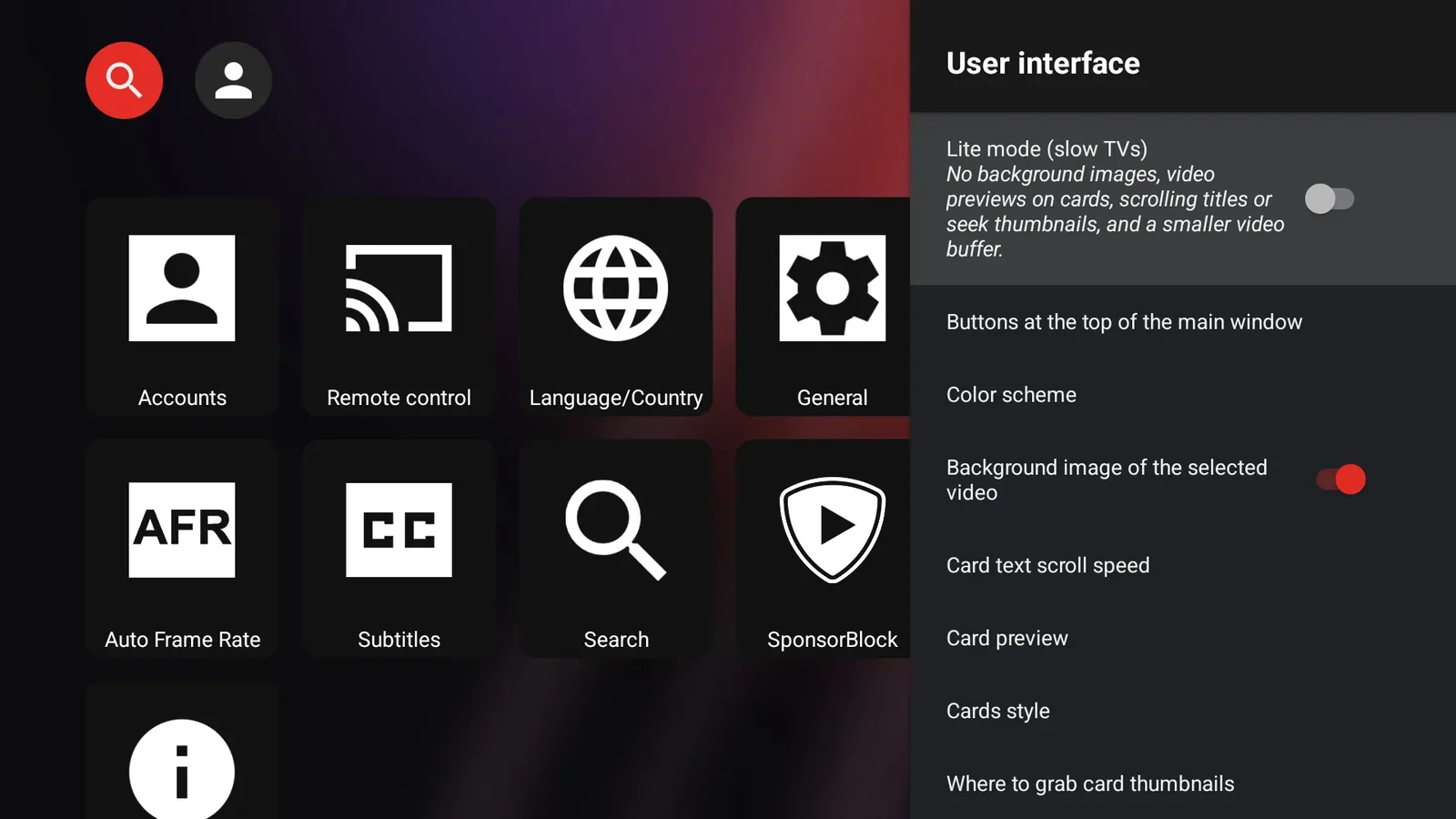
Big rows for the remote, with the cover of the video you are on filling the background.

  • Background image of the focused video
  • Lite mode for cheap TVs and TV boxes
  • Your subscriptions and history on the big screen
For Android TVAPK · v1.5.0 · 39 MB

File: SuperTubeTV_stable_1.5.0_universal.apk

What you get

Everything from the SmartTube engine, plus the things we missed on a phone.

Videos without ads

Videos start straight away. SponsorBlock skips sponsor segments and intros, and the seek bar marks where they are.

Keeps playing

A mini player while you browse, picture-in-picture when you leave the app, and audio with the screen off with lock-screen controls.

Downloads

Save the audio or the video up to 1080p, seeing the size before you choose. Pause, resume, and Wi-Fi only if you want.

Favorites in folders

Keep videos in your own folders, play them in order or shuffled, and see them on a home-screen widget.

Your account, if you want

Sign in for your subscriptions, history and playlists. Or don't: browsing and playing work without an account.

Lite mode for TV

One switch turns off background images, card previews and animations so a modest TV box stays smooth.

See it working

Real screenshots. The videos shown are Blender Studio open movies.

Home in grid view
Save a video to a favorites folder
A favorites folder
Download with the size of each quality
Search with the mini player
List, compact, grid or shelves

Nothing to sign up for. Nothing sent to us.

SuperTube has no server of its own, no analytics and no advertising code. Your settings, favorites and downloads stay on your device. Videos come straight from YouTube, so those requests are handled by Google under its own privacy policy.

  • No tracking or analytics
  • Data stored only on your device
  • Open code you can check
Read the privacy policy →

Install it in a minute

Download it from this page, signed by its author. Every version is also on GitHub.

On your phone or tablet

  1. Download

    Tap “For phone and tablet” to download the APK.

  2. Allow the install

    Android asks once to let your browser install apps. Accept it.

  3. Open and watch

    No account needed. Later updates arrive from Settings › SuperTube.

On your TV

  1. Install Downloader

    On the TV, install the free Downloader app (by AFTVnews) from the app store.

  2. Type the address

    Open it and type gestal.es/supertube/tv. The TV app downloads by itself.

  3. Allow and install

    Let Downloader install apps when Android asks. Later updates arrive from Settings › About.

Does Android show a warning? That's expected

Chrome and Android warn about every app installed from outside Google Play. Play Protect may also flag SuperTube because it blocks YouTube ads and isn't on Google Play, not because it contains anything harmful. The code is open on GitHub and every APK is signed by its author.

  • Chrome

    “This type of file can harm your device”

    Tap Download anyway.

  • Android

    “Your phone isn't allowed to install unknown apps from this source”

    Tap Settings, turn on Allow from this source and go back.

  • Play Protect

    “Unsafe app blocked” or “Unknown app”

    Tap More details, then Install anyway. On the TV, do the same with the remote.

  • Play Protect

    Later it turns the app off or removes it

    In the Play Store: your profile › Play Protect › settings › turn off Scan apps with Play Protect, and install it again.

To check that the APK is the original, its signing certificate (SHA-256) is: f6:fb:28:69:7f:24:d1:bf:21:ff:12:b8:20:e2:64:ca:4a:94:2f:3e:e8:4c:75:f2:01:6d:eb:3c:e6:07:70:41

Questions

Is it free?

Yes. No ads, no subscriptions and no in-app purchases. The source code is on GitHub under the MIT license.

Is it an official YouTube app?

No. SuperTube is an independent project, not affiliated with Google or YouTube. It is built on SmartTube, an open-source client.

Why isn't it on Google Play?

Google Play doesn't accept apps like this one, so it is published as an APK on this page and in the GitHub releases, with the signing certificate listed in the README.

Why does Android say it may be harmful?

Android and Play Protect warn about apps that don't come from Google Play, and Google doesn't like apps that block YouTube ads. SuperTube is open source and signed by its author. The install section explains each message and how to go ahead.

Is it legal to use?

The app is legal open-source software. YouTube's Terms of Service don't allow third-party clients or ad blocking, and downloading can infringe copyright unless you have the rights or your law allows it. How you use it is your decision and your responsibility.

Do I need an account?

No. Sign in only if you want your subscriptions, history and playlists. The session is stored on your device.

Does it work with Chromecast or Android Auto?

No. SuperTube doesn't include Google Play Services, which those features need.

Is there an iPhone version?

No. SuperTube is for Android 8.0 or newer, on phones, tablets and Android TV.

Which file is for my TV?

The “For Android TV” button and the address gestal.es/supertube/tv give you the universal TV APK, which works on every TV. Each release also has smaller files per processor: arm64-v8a for recent TVs and armeabi-v7a for older ones. The phone APK isn't made for a remote, and the TV one isn't made for touch screens.
Watch without interruptions

Free, open source and ready in a minute.